BOX: Installing Box for Office
Overview
Box for Office is an add-in app for Microsoft Office 365 that allows you to save files to Box, open files from Box, and upload and download files from within Office applications.
For details on working with files using Box for Office, see Opening Files and Saving Files.
Downloading and Installing Box for Office |
|
|
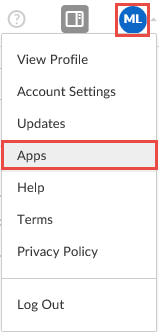
1. Log in to Box (see BOX: Getting Started and Navigation Basics). 2. Click the drop-down arrow next to your User Settings icon, then click Apps. |
|
|
3. Click Box for Office, then click Learn More. You can also search "Box for Office" in the Search Applications field at the top of the screen. 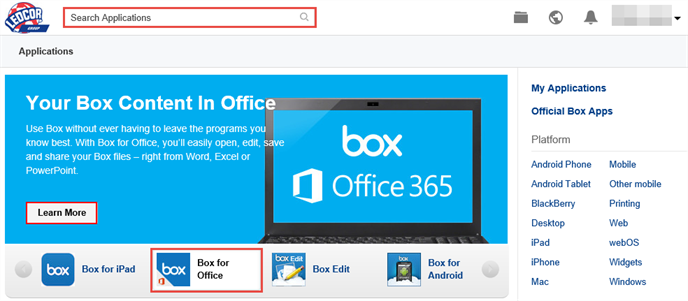
|
|
|
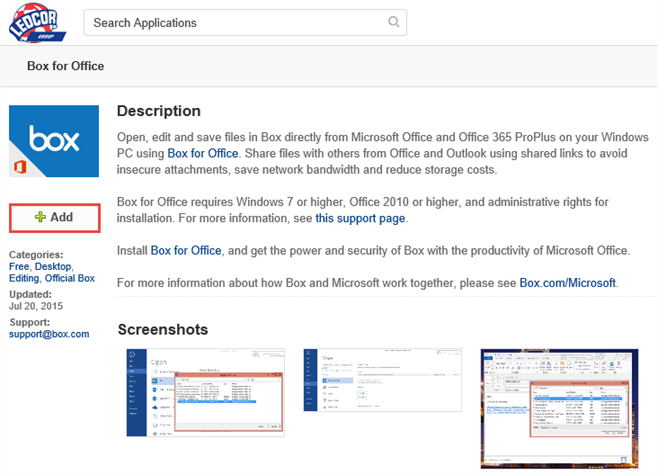
4. Click Add.
|
|
|
The application downloads.
5. Click Run. |
|
|
The Box for Office setup program runs. 6. Click Install. If prompted by a User Account Control dialog box, click Yes. 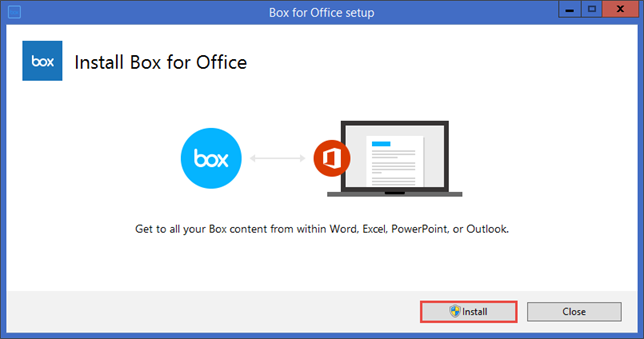
|
|
|
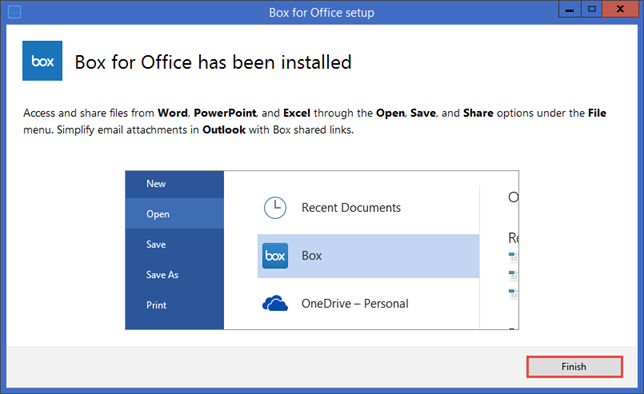
The application is installed. 7. Click Finish. You may need to close any open Office programs and re-open in order to load the Box for Office add-in.
|
|